XXXXL Gaming Mouse Pad: A Complete Guide for Gamers in India
Gaming is not just about having a powerful PC, a high-refresh-rate monitor, or an expensive gaming mouse. Your desk setup also plays an important role in your gaming experience. One accessory that many gamers overlook is the mouse pad.
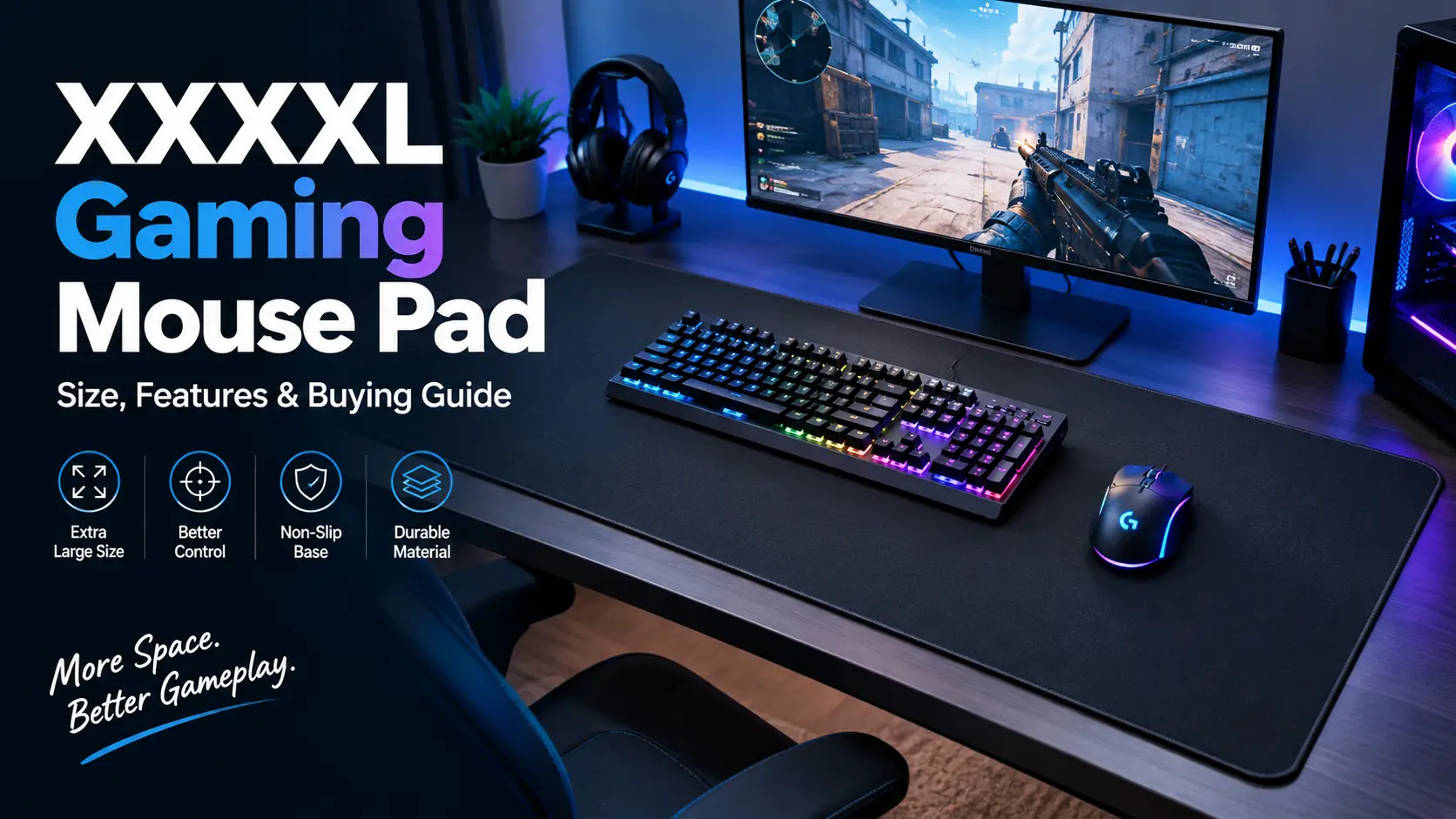
A XXXXL Gaming Mouse Pad is designed for gamers who need a large, continuous surface for their mouse, keyboard, and sometimes other desk accessories. It can be especially useful for FPS games, competitive gaming, streaming, and gaming setups where players prefer low mouse sensitivity and wider arm movements.
But is an XXXXL gaming mouse pad worth buying? How big should it be? Which material is better? And what should you check before ordering one online in India?
This guide answers these questions and helps you choose a gaming mouse pad that suits your desk, playing style, and budget.
What Is a XXXXL Gaming Mouse Pad?
A XXXXL Gaming Mouse Pad is an extra-extra-extra-large mouse pad designed to provide more usable surface area than a standard mouse pad. Depending on the product, it may cover a large part of your desk and accommodate both your keyboard and mouse.
Unlike a small mouse pad that only supports mouse movement, an XXXXL gaming mouse pad creates a shared surface for your gaming peripherals.
For example, if you play games such as Valorant, Counter-Strike 2, Fortnite, or Apex Legends, you may need to move your mouse over a wider area, particularly when using low sensitivity. A larger mouse pad gives you more room to make these movements without frequently lifting and repositioning your mouse.
However, the term “XXXXL” is not a universal measurement. Different sellers may use it for different dimensions, so always check the actual length, width, and thickness before purchasing.
Why Do Gamers Prefer XXXXL Gaming Mouse Pads?
A larger mouse pad is not necessary for every gamer, but it can solve several practical problems.
1. More Space for Mouse Movement
Competitive gamers often prefer lower mouse sensitivity because it can allow more controlled aiming through larger physical movements.
With a small mouse pad, you may reach the edge while turning or tracking an opponent. A larger surface provides more room to move your mouse before you need to reposition it.
This can be particularly useful for FPS and tactical shooter games.
Remember that a larger mouse pad does not automatically improve your aim. Your sensitivity settings, mouse sensor, technique, and practice still matter.
2. Space for Both Keyboard and Mouse
One of the biggest advantages of an XXXXL gaming mouse pad is that it can accommodate both your keyboard and mouse on the same surface.
This creates a more organised gaming area and helps keep your peripherals in one place.
It can also reduce the need to adjust your keyboard and mouse separately whenever you change your desk setup.
3. A More Comfortable Gaming Setup
During long gaming sessions, your hands and arms repeatedly move across the desk. A suitable mouse pad provides a consistent surface for these movements.
Some extended gaming mouse pads also offer a softer surface that feels more comfortable than a hard desk.
If you spend several hours gaming, working, or studying at your desk, this larger surface may be useful beyond gaming.
4. A Cleaner Gaming Desk
An XXXXL mouse pad can visually connect different parts of your setup. Your keyboard, mouse, and other accessories can sit on a matching surface rather than directly on the desk.
Many gamers also choose desk mats with minimal designs, dark colours, or gaming-inspired prints to match their keyboards, cabinets, and monitors.
However, make sure the pad fits your desk properly. A large mat that hangs over the edges or blocks drawers can create more problems than it solves.
What Size Is an XXXXL Gaming Mouse Pad?
There is no single standard size for every XXXXL gaming mouse pad. The dimensions depend on the manufacturer and product design.
Here are examples of dimensions you may encounter when comparing large mouse pads. These are illustrative size examples, not a universal XXXXL classification.
| Example dimensions | Approximate size in inches | Best suited for |
|---|---|---|
| 800 × 300 mm | 31.5 × 11.8 inches | Keyboard and mouse |
| 900 × 400 mm | 35.4 × 15.7 inches | Extended gaming setups |
| 1000 × 500 mm | 39.4 × 19.7 inches | Larger mouse movement area |
| 1200 × 600 mm | 47.2 × 23.6 inches | Very large desk coverage |
Before ordering, measure your usable desk area. Leave enough space for your monitor stand, speakers, cables, and other accessories.
Practical tip: Use a measuring tape to mark the intended mouse pad dimensions on your desk. This simple step can help you avoid ordering a pad that is too wide or too deep.
Best Features to Look for in an XXXXL Gaming Mouse Pad
Not every large mouse pad offers the same gaming experience. Consider these features before choosing one.
1. Surface Material
The surface material affects how your mouse glides and how much control you feel during movement.
Cloth surface: A popular choice for everyday and competitive gaming. It generally provides a balance between glide and control, depending on its weave and finish.
Hard surface: Usually offers a smoother, faster glide. However, it may feel less cushioned and can produce more noticeable friction or sound depending on the mouse feet and material.
Hybrid surface: Combines characteristics of different surface types. Performance varies between products, so check the manufacturer’s description and user reviews.
For most gamers looking for an all-round option, a good-quality cloth gaming mouse pad is a sensible starting point.
2. Non-Slip Rubber Base
A large mouse pad should remain stable while you move your mouse quickly.
A rubber or other non-slip base helps reduce unwanted movement on a suitable desk surface. This is especially important during fast-paced games, where sudden mouse movements are common.
Check whether the base is designed for your desk material, and ensure the underside of the pad and desk are clean before use.
3. Stitched Edges
Stitched edges can help reduce fraying around the borders of a cloth mouse pad.
If you plan to use the same pad daily for gaming and work, edge stitching may be worth considering. Look for stitching that is even and does not create an uncomfortable raised edge where your wrist or forearm rests.
4. Suitable Thickness
Mouse pads are available in different thicknesses, and the right choice depends on your desk and personal preference.
A thinner pad may feel closer to the desk, while a thicker one may provide more cushioning and help accommodate minor surface irregularities.
Thickness alone does not determine gaming performance. The surface quality, base stability, and your personal comfort are equally important.
5. Easy Maintenance
A large gaming mouse pad collects dust, sweat, food particles, and everyday dirt over time.
Before purchasing, check the cleaning instructions. Some cloth pads can be gently hand-washed, while other materials require a different cleaning method.
Avoid assuming that every mouse pad is machine washable. Follow the manufacturer’s care instructions to prevent damage.
Is an XXXXL Gaming Mouse Pad Good for FPS Games?
Yes, an XXXXL gaming mouse pad can be useful for FPS games, especially if you use low mouse sensitivity or prefer broad arm movements.
Games such as Valorant and Counter-Strike 2 often require precise aiming, tracking, and quick adjustments. A sufficiently large mouse pad can provide enough space to make these movements without repeatedly reaching the edge.
However, buying the largest available mouse pad is not always the best decision.
If you play with high sensitivity and mostly use wrist movements, a medium or large mouse pad may already provide enough room. If you use low sensitivity and move your entire arm, a larger surface may be more suitable.
Choose a size that matches your movement style rather than relying only on the XXXXL label.
How to Choose the Right XXXXL Gaming Mouse Pad for Your Desk
Before making a purchase, consider these five factors.
Step 1: Measure Your Desk
Measure the available length and depth of your desk. Do not measure the full desk if part of it is occupied by a monitor stand, laptop, or other fixed accessories.
Make sure the mouse pad will not cover areas you need to access.
Step 2: Consider Your Gaming Style
Your preferred games can influence the size and surface you need.
- FPS games: Prioritise sufficient space for aiming and controlled movement.
- MOBA games: Look for a surface that suits your mouse movement and keyboard placement.
- Racing and casual games: A large pad may improve desk organisation, but the extra space may not be essential.
- Gaming and office work: Consider a versatile surface that works comfortably with both a keyboard and mouse.
Step 3: Check Keyboard Compatibility
If you want your keyboard and mouse to sit on the same pad, measure the keyboard’s width and depth.
Remember that full-size keyboards with a number pad take up more room than compact keyboards. Leave enough additional space for mouse movement.
Step 4: Check Product Specifications
Do not rely on product titles alone. Check the actual dimensions, thickness, surface material, base type, edge stitching, and cleaning instructions.
Also verify the product images and return policy before placing your order.
Step 5: Compare Price and Quality
The cheapest mouse pad may not offer the durability or surface consistency you want. At the same time, an expensive model is not necessarily better for your needs.
Compare the specifications and reviews of products in your budget. Pay attention to comments about curling edges, slipping, surface wear, and differences between advertised and actual dimensions.
Common Mistakes to Avoid When Buying an XXXXL Gaming Mouse Pad
A few simple checks can help you avoid disappointment.
- Buying based only on the size name: Always confirm the dimensions in centimetres, millimetres, or inches.
- Ignoring desk depth: A pad may fit across the desk but leave insufficient space at the front or back.
- Choosing appearance over usability: An attractive design is useful only if the surface also suits your gaming needs.
- Assuming bigger means faster: Mouse speed depends on surface characteristics, mouse feet, and other factors—not simply the pad’s size.
- Ignoring cleaning requirements: A large pad can collect dirt across a wide area, so maintenance matters.
- Overlooking the return policy: Check whether the seller accepts returns if the actual size or material differs from your expectations.
How to Clean and Maintain an XXXXL Gaming Mouse Pad
Regular cleaning helps maintain a comfortable and consistent surface.
- Disconnect or remove any peripherals placed on the mouse pad.
- Shake off loose dust and wipe away light dirt using a suitable soft cloth.
- For washable cloth pads, follow the manufacturer’s recommended cleaning method.
- Avoid harsh chemicals, abrasive brushes, and excessive heat unless the manufacturer explicitly permits them.
- Let the pad dry completely before placing it back on the desk.
- Clean the desk underneath it before reinstalling the pad.
Do not roll or fold your mouse pad in a way that damages its backing or surface. Follow the supplied storage instructions, particularly if the product has a rigid or specially coated surface.
Frequently Asked Questions About XXXXL Gaming Mouse Pads
1. What is the best size for an XXXXL gaming mouse pad?
The best size depends on your desk, keyboard dimensions, and mouse sensitivity. Compare the actual measurements of each product instead of relying only on the XXXXL label.
2. Can I use an XXXXL gaming mouse pad for office work?
Yes. A suitable large mouse pad can provide a shared surface for your keyboard and mouse during work, study, browsing, and gaming.
3. Is a cloth or hard gaming mouse pad better?
Cloth pads are a popular all-round choice because they can provide a balance of control and glide. Hard pads often offer a faster glide. The better option depends on your preferences, mouse feet, and playing style.
4. Does a bigger mouse pad improve gaming performance?
A larger pad can provide more room for mouse movement, particularly for low-sensitivity gaming. However, it does not automatically improve accuracy, reaction time, or gaming skill.
5. Will an XXXXL gaming mouse pad fit every desk?
No. Desk dimensions and product sizes vary. Measure your available surface before purchasing and account for monitor stands, cables, and other accessories.
6. Can I use an XXXXL gaming mouse pad with a wireless mouse?
Yes. Most standard gaming mouse pads work with both wired and wireless optical gaming mice. Check the mouse manufacturer’s recommendations if your device has specific surface requirements.
7. Is an XXXXL gaming mouse pad worth buying in India?
It can be worth buying if you need extra mouse movement space, want your keyboard and mouse on one surface, or prefer a larger gaming desk mat. Compare the dimensions, materials, price, delivery terms, and return policy before choosing a product.
Final Verdict: Should You Buy an XXXXL Gaming Mouse Pad?
An XXXXL Gaming Mouse Pad can be a useful upgrade if your current mouse pad feels too small or you want a more organised gaming desk. It offers more room for mouse movement and can accommodate a keyboard and mouse together when the dimensions are suitable.
The most important factors are not the size label or appearance alone. Focus on the actual measurements, surface material, non-slip base, durability, and compatibility with your desk.
For Indian gamers, the best choice is a mouse pad that fits the available desk space, supports their preferred gaming style, and offers good value for money.
Before buying, measure your desk and compare the product specifications carefully. A well-chosen gaming mouse pad can make your setup more practical for both gaming and everyday computer use.